

Description
Download the Free Version
Download Integrity Tuning Datalog Viewer for Windows (ZIP)
Extract the ZIP and run the single included setup EXE. It installs the app, desktop shortcut and uninstaller. No serial is included. On an unactivated PC, Free mode supports one log, up to two graphs and four selected channels per graph. A valid single-PC serial unlocks up to four graphs, additional channel selections, a second log and comparison, PNG export and the dashboard. Configuration saving is available in the app.
Requires .NET Framework 4.8. Python 3.9 or newer is additionally required for experimental FPDL import. The installer is unsigned; Windows may show a security warning.
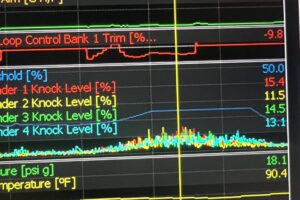
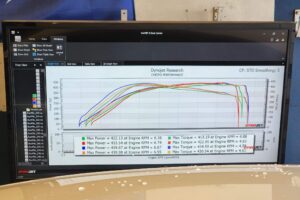
Explore recorded automotive data with an independent Windows desktop viewer. Graph, scrub, and compare saved datalogs while preserving their original values, samples, and timestamps. This software displays recorded data; it does not connect to, tune, or control a vehicle.
Graph and explore (licensed features include)
- Open supported CSV, TSV, and TXT datalogs, including common quoting, metadata-before-header, and delimiter variations.
- Show one to four customizable graph panels, each with its own channel selection and overlay settings.
- Overlay channels with independent scales or show them in separate lanes. Choose full-log or visible-data automatic ranges, set manual channel ranges, and customize line colors.
- Hover, pin, and scrub through samples with a synchronized cursor and value readouts. Missing values remain gaps, not zeros.
- Zoom with the mouse wheel or drag selection, pan through zoomed recordings, and reset the view.
- Export displayed graphs as PNG images.
Licensed dashboard and two-log comparison
- View logged values as selectable digital dashboard tiles. Detach the dashboard into its own window and keep it alongside the graphs.
- Load a second log for overlay or side-by-side comparison, and choose channels independently for each source.
- Adjust each recording’s time shift independently, reset alignment, or use RPM-peak Auto align as an estimate to verify.
- Original timestamps, sample order, and values are retained; recordings are not interpolated or resampled. The cursor uses the nearest original sample.
Experimental native-log support
- Hondata FPDL import supports compatible layouts only. Import notices disclose limitations, including unverified compressed-stream integrity where applicable; unsupported or corrupt layouts are rejected.
- KTuner KDLG inspection and channel recovery are experimental and limited to documented layouts and candidates. Unverified raw traces are labeled as such; they are not confirmed sensor readings.
- Files with millisecond or microsecond time columns are displayed on a seconds axis while original values are preserved.
Requirements and license
- Windows 10 or 11 with .NET Framework 4.8.
- Python 3.9 or newer is required only for experimental Hondata FPDL import.
- Single-PC license with offline serial activation bound to one Windows PC. Automatic order-to-serial delivery is not yet configured.
Availability: The Free version can be downloaded above without checkout. This listing offers one single-PC license, subject to available stock. After ordering, open FREE | Upgrade / serial in the app and send FK8TD your PC ID together with your order number. Serial issuance and delivery are manual; automatic activation and serial delivery are not configured.

Reviews
There are no reviews yet.